
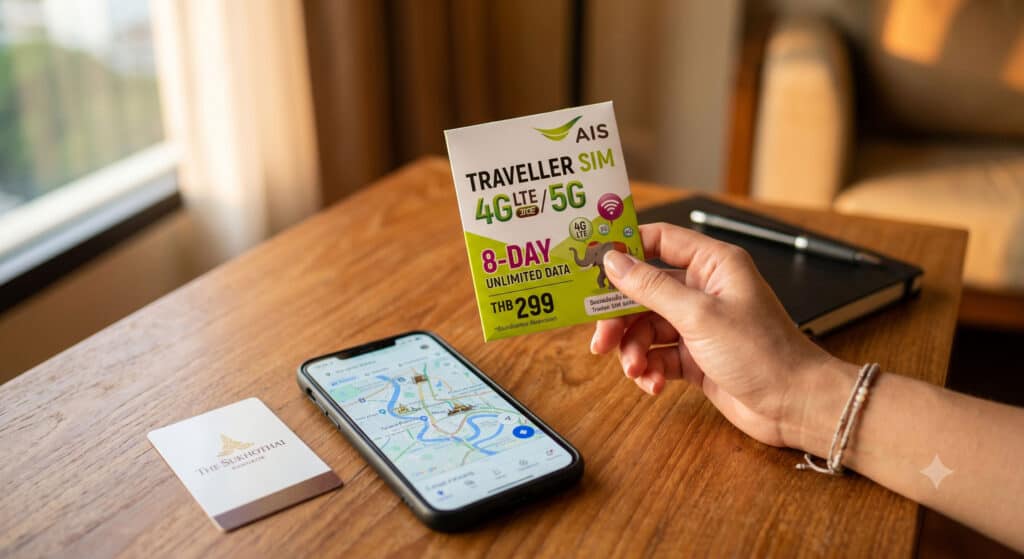
Your phone is your lifeline in Thailand. It’s the thing getting you from Suvarnabhumi to your hotel, pulling up the menu at a street stall that doesn’t have English signage, and booking that last-minute longtail to a beach nobody else seems to know about. The good news: getting connected in Thailand is genuinely easy, and it doesn’t have to cost much. Here’s exactly what works, what to buy, and where to get it.
eSIM vs. Physical SIM: Which Should You Get?
This is the first decision, and for most travelers it comes down to one question: does your phone support eSIM?
An eSIM is a digital SIM you install before you leave home. You buy it online, scan a QR code, and the moment you land and switch off airplane mode, you’re online. No counter, no queue, no fumbling with a tiny SIM tray after a 14-hour flight. If your phone is from 2020 or later — iPhone XS and newer, most flagship Androids — it almost certainly supports eSIM. Third-party providers like Airalo, Nomad, and Klook offer Thailand data plans starting around $8–$12 USD for 7–10 days of 4G/5G coverage.
One thing to watch: many third-party eSIMs are data-only — no Thai phone number included. That’s fine for 90% of tourists. But if you need a local number for two-factor authentication on Thai banking apps, or for pickup confirmations, look for a plan that includes a number (AIS’s own tourist eSIM does, for example). And if your phone supports dual SIM, you can run the Thai eSIM for data while keeping your home SIM active for calls and texts — best of both worlds.
A physical tourist SIM is the right call if your phone doesn’t support eSIM, if it’s carrier-locked, or if you just prefer something tangible. You pop it in, and done. Thailand makes this very easy — official carrier booths are in every major airport arrivals hall.
The Two Networks Worth Knowing: AIS and True-dtac
Thailand used to have three major carriers — AIS, dtac, and TrueMove H. Then True and dtac merged in 2023, and the integration has continued since. For practical purposes, you’re now choosing between AIS and True-dtac, and honestly, either works well across Thailand’s main tourist circuit.
Here’s the rough rule of thumb: AIS has the broadest coverage in remote areas, islands, and mountainous regions — if your itinerary includes anywhere off the beaten path (Koh Lipe, Mae Hong Son, smaller Andaman islands), AIS is the safer bet. True-dtac tends to perform well in major cities and popular tourist hubs and often has competitive tourist SIM packages. For a Phuket-Phi Phi-Krabi itinerary or a trip that stays within Bangkok, Chiang Mai, and Phuket, either network will feel equally solid.
Tourist SIM packages from both carriers typically run 299–1,199 THB depending on how long you’re staying — roughly $9–$35 USD. Confirmed current prices: True-dtac lists a 10-day tourist SIM starting at 349 THB. Prices and plans change seasonally, so confirm at the counter or on their official websites before you buy.
Where to Buy a SIM Card in Thailand
You’ve got three options, and here’s what nobody tells you: contrary to what you might expect, airport prices are typically the same as what you’ll pay at city shops. There’s no airport markup. So if convenience matters — and after a long international flight, it usually does — just grab one at the airport.
At the airport: AIS, True, and dtac all have official counters in the arrivals halls at Suvarnabhumi (BKK), Don Mueang (DMK), Phuket (HKT), and Chiang Mai (CNX). Staff are English-speaking, will help you pick a plan, install the SIM, and confirm it’s working before you leave. The whole thing takes about five minutes. Some kiosks prefer cash (Thai baht), though cards are increasingly accepted — worth having some baht ready just in case.
At carrier stores in the city: AIS Shops and True-dtac stores are nationwide and easy to find. If you’ve already got a plan in mind, or if you want to browse longer-duration plans, city stores work well. 7-Eleven locations near tourist areas also carry SIM cards, though staff assistance there is hit-or-miss.
Online before you leave: Best option for eSIM buyers. Purchase through Airalo, Nomad, or directly from AIS’s tourist eSIM page, install the profile at home, and activate on arrival. No lines, no language barrier, no fumbling with hardware.
SIM Registration: Bring Your Passport
Thailand requires all SIM cards to be registered to an identity document, and that means you’ll need your passport at the counter. This applies to tourists too — no exceptions. Thailand’s telecom regulator (NBTC) also added liveness-detection verification to the process in 2025, meaning carriers now use a real-time photo or video check to confirm your identity. It sounds more complicated than it is; at airport booths, staff handle this entirely. Just have your passport out.
There are also limits on how many SIMs a foreign visitor can register per carrier, so if you’re on a long trip and thinking about picking up a second SIM for a backup network, plan accordingly. Most travelers won’t hit these limits.
What If Your Phone Is Carrier-Locked?
If you bought your phone on a carrier payment plan, it may be locked to that carrier — meaning it can only use SIMs from that network. You have a few options:
Get it unlocked before you leave. If your device is paid off and your carrier’s policy allows it, this is the cleanest solution. Call your carrier, request an unlock, and you’re set for this trip and every trip after.
Use your carrier’s international roaming plan. Not cheap, but easy. Current rates as of 2026: Verizon TravelPass runs $12/day in Thailand; AT&T International Day Pass is $12/day; T-Mobile offers tiered data passes — $5 for a 1-day pass (512MB high-speed), $35 for 10 days (5GB high-speed), or $50 for 30 days (15GB high-speed). T-Mobile customers on eligible plans also get unlimited data in Thailand at reduced speeds without buying a pass, which can be enough for messaging and maps if you’re not streaming.
Buy a cheap unlocked phone locally. For stays of a month or more, buying a basic Android handset at MBK or a similar electronics mall in Bangkok can actually cost less than stacking daily roaming fees. Prices for entry-level smartphones run 2,000–4,000 THB.
Calling and Texting Home From Thailand
Good news: you don’t need to spend anything extra on calls home if you’re on Wi-Fi or a data plan. Apps like Grab (essential for getting around Bangkok) and the rest of your usual toolkit work seamlessly — and so do calling apps. The best options:
WhatsApp is the global default and works perfectly. LINE is worth installing too — it’s the dominant messaging app in Thailand, and you’ll see LINE QR codes everywhere from restaurants to tour operators. FaceTime and iMessage work fine between iPhones over data or Wi-Fi, and Facebook Messenger, Skype, and Google Meet all work as expected.
If you need to call an actual Thai phone number from your SIM, add +66 and drop the leading zero from the Thai number. Calling the US or another country? Add +1 (or the relevant country code) before the number. When in doubt, use WhatsApp — it sidesteps all of this.
Quick Tips to Keep Your Phone Bill Under Control
A few things worth confirming before you leave the airport counter — and before your home carrier surprises you with a $300 bill:
Turn off Data Roaming on your home SIM if you’re using a Thai SIM or eSIM for data. On iPhone: Settings → Cellular → your home carrier line → Data Roaming → off. On Android: Settings → Network → Mobile Network → Data Roaming → off. If you’re on dual SIM, also make sure your Thai SIM is set as the default for cellular data.
Ask the counter staff to confirm: the plan duration (5, 8, 10, 15, or 30 days — make sure it covers your whole trip), whether the plan uses a fair use cap on high-speed data, and whether mobile hotspot/tethering is included. Some tourist plans restrict tethering even when marketed as unlimited, which matters if you plan to share data with a laptop or tablet. Getting these logistics sorted before you arrive makes a real difference to how your first day in Thailand feels.
Also worth noting: Thailand’s mobile internet infrastructure is genuinely good. In Bangkok, Chiang Mai, and the major tourist islands, you’ll get fast, reliable 4G or 5G. The only places you’ll notice speed drops are very remote islands and deep rural areas — and honestly, spotty signal is part of the experience out there.
Do You Need Travel Insurance That Covers Your Phone?
If you’re spending $800 on a new tourist SIM setup and relying on your phone for navigation, bookings, and emergencies, it’s worth asking whether your travel insurance covers device theft or damage. Thailand’s tourist areas — especially Bangkok’s Chatuchak Market, Pattaya’s Walking Street, and the beach party zones on Koh Samui — are standard pickpocket territory. Comprehensive travel insurance plans often include lost electronics coverage, which can offset the cost of replacing a stolen phone mid-trip. Check your policy before you leave, not after.
Frequently Asked Questions About Cell Service in Thailand
What is the cheapest way to get cell service in Thailand?
A local tourist SIM from AIS or True-dtac is almost always the cheapest option. Prices start around 299–349 THB (roughly $9–$10 USD) for a 10-day plan with high-speed data. If your phone supports eSIM, third-party providers like Airalo or Nomad can be equally competitive and even easier to set up — no hardware, no counter, no passport required at the kiosk.
Can I buy a SIM card at Bangkok Airport?
Yes — AIS, True, and dtac all have official counters in the arrivals area at both Suvarnabhumi (BKK) and Don Mueang (DMK). Staff are English-speaking and handle the whole setup process for you, including SIM installation and passport registration. Prices at airport counters are the same as what you’d pay at city stores — there’s no airport premium.
Do I need to show a passport to get a SIM card in Thailand?
Yes. All SIM cards in Thailand — including tourist SIMs — must be registered to a valid identity document. Your passport is the standard requirement. Carriers were also required to implement biometric-style identity verification as of 2025, but the process at airport and retail counters is staff-assisted and straightforward.
Is AIS or True-dtac better for tourists in Thailand?
Both are solid choices for the main tourist circuit. AIS has a slight edge for coverage in remote areas — smaller islands, northern mountain provinces, rural Thailand. True-dtac performs well in Bangkok, Phuket, Chiang Mai, and other major hubs. If your itinerary sticks to popular destinations, pick whichever booth has the shorter line.
Can I use my US phone plan in Thailand?
Yes, if your phone is carrier-unlocked you can use a local Thai SIM. If it’s locked, you can still use it via your US carrier’s international roaming — Verizon TravelPass ($12/day), AT&T International Day Pass ($12/day), or T-Mobile’s data passes ($5 for 1 day, $35 for 10 days, $50 for 30 days). T-Mobile customers on certain plans also get unlimited data in Thailand at reduced speeds without buying an extra pass.
What apps should I use to call home from Thailand?
WhatsApp is the most reliable option and works everywhere. For calls to other iPhones, FaceTime works great over Wi-Fi or data. LINE is worth downloading too — it’s heavily used in Thailand for everything from restaurant reservations to tour bookings. All standard messaging apps (Messenger, Telegram, Signal) work without issue on a Thai data plan.
Getting connected in Thailand should be one of the easiest logistics wins of your trip. Pick up a SIM at the airport arrivals counter, make sure Data Roaming is off on your home carrier, and you’re set — from your first Grab ride out of the airport to your last sunset selfie on the beach. And if you haven’t sorted your full trip logistics yet, start there — a good plan is still the best travel accessory you can have.